If you just want to adjust which skins are active currently, refer to the page on how to change skins.
Skins provide hot-reload functionality similar to MTFO (dissimilar to MTFO, you can do it in-level as well). Reloading allows changes made to Skin Groups and Material Targets to be view in real time in-game.
When reloading, the game will freeze for a bit, the duration depends on how many skins are present in the skins folder.
With the Button
To hot reload skins, head over to settings, and click on the “Reload Skins” button.
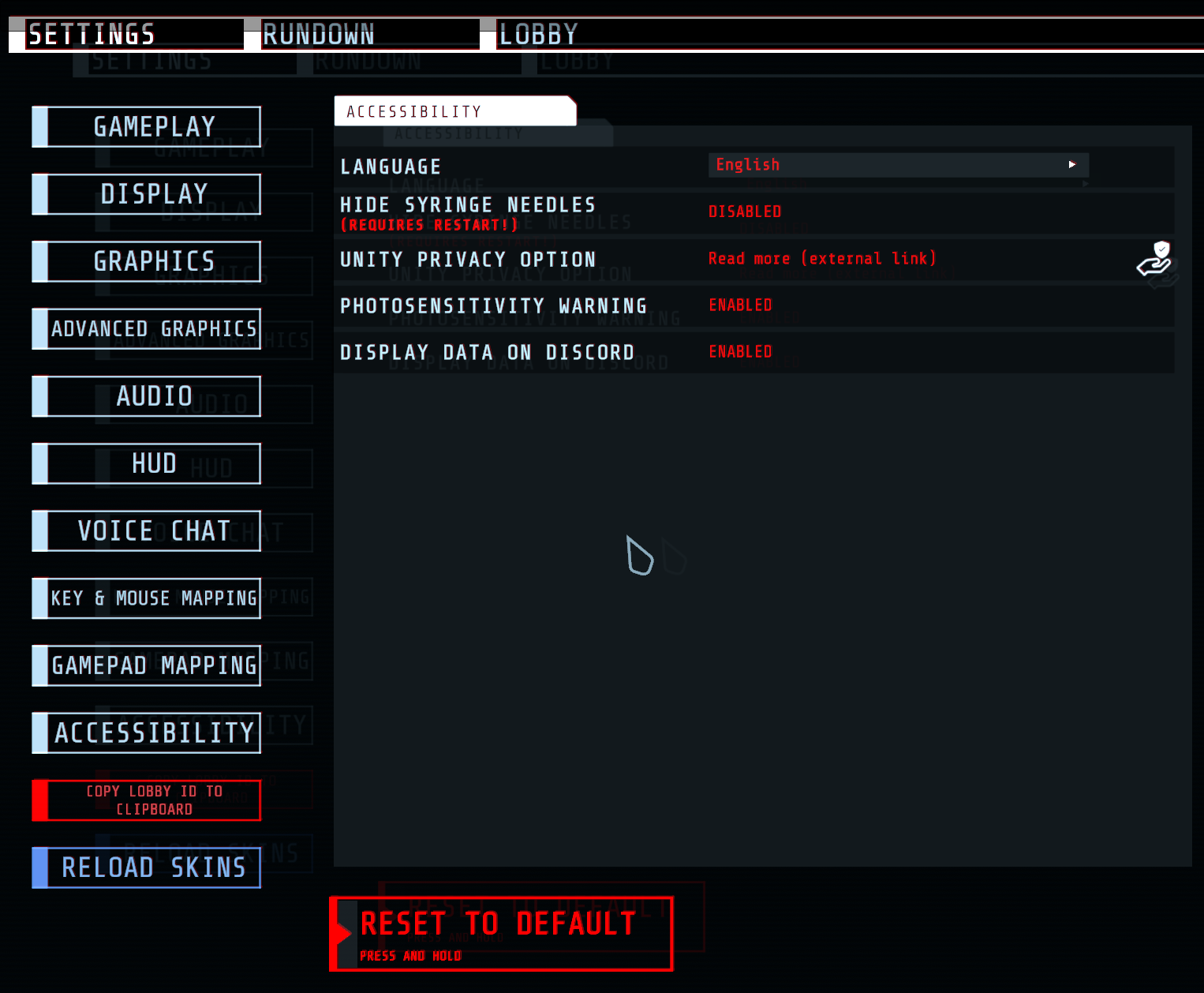
GTFO settings page with the light blue 'Reload Skins' button visible on the bottom left.
With the Keybind
Hot-reload can also be conveniently performed anywhere with the press of a keybind, this feature is disabled by default.
You can enable this feature and adjust the keybind (by default F7) by editing the profile config file.
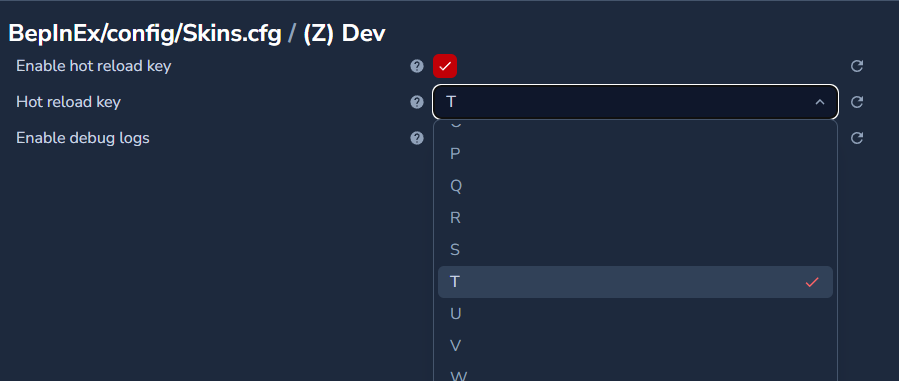
BepInEx config editor in the Gale Mod Manager showing developer options for the Skins mod.