Distribute skinspkg
This is the recommended method of distribution outside of Thunderstore. The .skinspkg format provides a unified single-file way to export and import skins; the export can be easily done in the editor.
To export a skinspkg package:
Switch to the Packages mode in the Editor
Click on the Packages tab in the editor to switch to it.

Select the package
Add a new package or select an existing package.
Also fill out any necessary details you wish to include.
Add Skin Groups to include
Add the Skin Groups you want to include with the package.
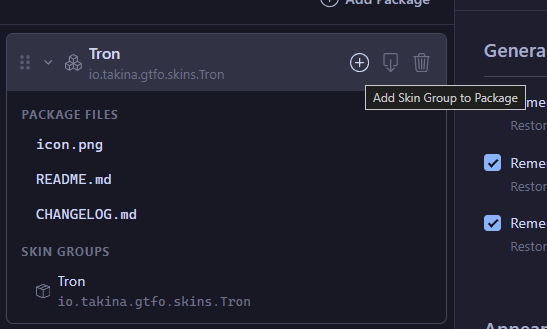
Export as skinspkg
Click on the export button and click on Export .skinspkg.
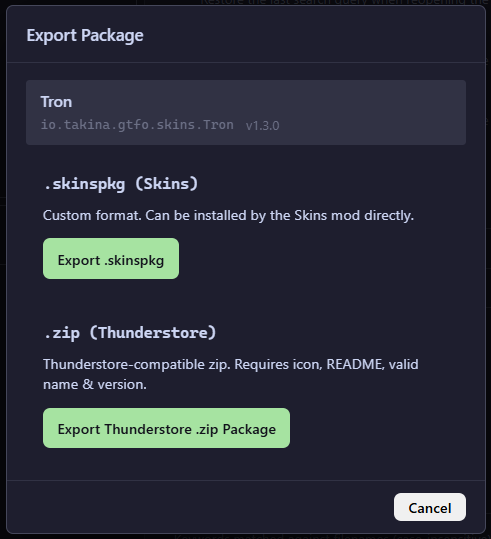
Select export location and distribute
Select where to save the exported package and then distribute it!
Legacy Documentation
If you have followed through either editing skin groups with the editor or the schema, what is required for packaging should be rather clear.
Success
TL;DR;
The only thing needed is the containing folder of the skin groupmanifest.skingroup.jsonfile.
Warning
As a reminder. Please use sufficiently unique and meaningful GUIDs for your Skin Groups!
As mentioned, the only thing that should be distributed is the containing folder of the manifest.skingroup.json file — this is the smallest valid unit of distribution.
It is necessary that no references inside the Material Targets are located outside the Skin Group folder itself. Otherwise, these will become broken references once distributed.
It is also preferable to be as clear as possible on how to install the skins within your package. The easiest way to do this is to distribute only the Skin Group folders themselves (with no parent folders) in your compressed archive (or your preferred medium). It also doesn’t hurt to include a link to (LEGACY) Unpacking Skins for Installation inside your package for fallback.